
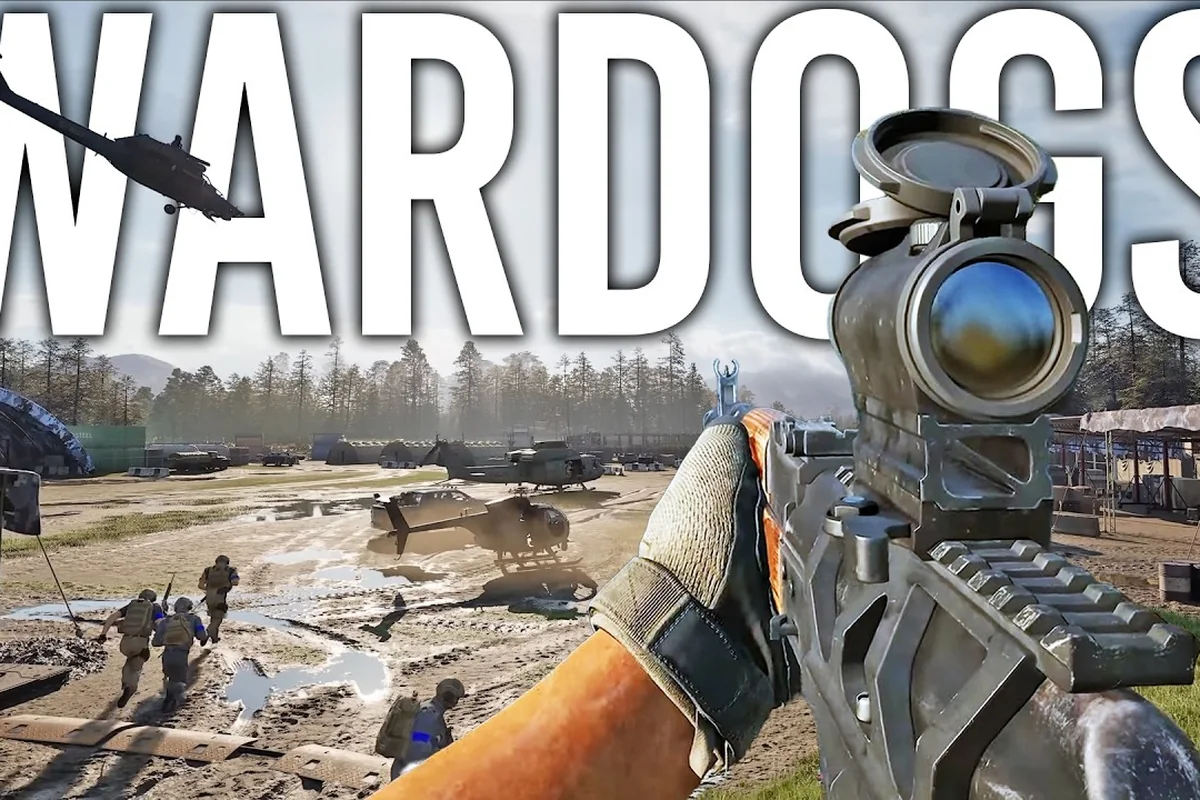
Jumping into a 100-player, three-team battlefield without a plan is a fast way to lose your starting $10,000. This WARDOGS matchmaking guide breaks down exactly how the squad system works, how to find reliable teammates, and which voice chat settings give you the biggest tactical edge. Because WARDOGS rewards coordination over raw aim, understanding matchmaking is the single fastest way to improve your win rate and your cash flow.
Why Matchmaking Matters in WARDOGS
WARDOGS drops you into a persistent-economy sandbox where every life starts with a fresh loadout purchase and cash carries over between matches. The official Steam page describes it as a 100-player, three-team format with dynamic objective zones, cash and XP progression, and proximity voice chat. That means every match is a chaotic mix of shifting alliances, sudden firefights, and economic decisions — and the players who communicate consistently come out ahead.
The core loop rewards selfish teamwork, a concept highlighted in PCGamesN's impressions of the game. You earn cash for reviving squadmates, transporting teammates, and controlling objectives, so helping others directly fills your own wallet. The Hot Zone pays double cash, which makes coordinated pushes toward it far more profitable than solo farming. Without a squad, you're leaving money on the table every single match.
Good matchmaking in WARDOGS does far more than drop you into a lobby with three other pilots—it actively shapes your squad's firepower ceiling before the first drop. A well-matched squad pairs complementary mech loadouts (e.g., a Recon's sensor-ping with a Heavy's suppression fire), syncs voice chat discipline so callouts for a Behemoth's weak point aren't drowned out, and aligns skill ratings to prevent one player from dragging the team through a brutal 4-star extraction. That alignment directly cuts wipe rates and turns chaotic skirmishes into coordinated pushes.
-
Consistent revive chains — teammates who know your position can reach you before bleed-out
-
Loadout specialization — one player runs a ghillie sniper while another drives a transport helicopter
-
Objective stacking — multiple squad members on a control point capture it faster
-
Cash multiplication — every revive and transport action pays both players, doubling your per-match income
-
Hot Zone control — a coordinated squad can hold the double-cash zone against scattered randoms
The difference between a solo player and a coordinated squad isn't subtle. Community reports consistently show that squads of three or four dominate objective control because they can split roles — one watches the flank, one caps the zone, one provides suppressive fire. If you're new to the game, check the beginner guide to understand the basics before diving into squad tactics.
How to Squad Up: The Matchmaking System Explained
The squad system in WARDOGS is straightforward once you know where to look. From the main menu, you can create a squad, join a friend's squad, or let the matchmaker place you with random players. The key is understanding that squad size directly affects your tactical options — a two-person squad can hold a flank, but a four-person squad can control an entire objective zone.
Creating Your First Squad
To create a squad, open the social menu from the main lobby and select "Create Squad." You'll get a squad code that friends can enter to join you. The squad leader controls the matchmaking queue, so make sure the leader has the right game mode selected before launching. Squads stay together between matches by default, which is critical for building chemistry across multiple rounds.
Joining Random Squads
If you don't have friends online, the matchmaker will place you into a squad automatically. These random squads vary wildly in coordination — some players use voice chat actively, while others stay silent. The trick is to test your squad's communication early. Drop a quick voice line in the first 30 seconds and see who responds. If nobody talks, consider playing more conservatively until you find a squad that communicates.
Squad Persistence and Progression
Your squad carries over between matches, and the cash you earn while squadded persists in your personal wallet. This means a good squad session can bank serious money for future loadouts. According to community data, players who squad up consistently report 30-40% higher average cash earnings per match compared to solo play, mostly because revive bonuses and objective bonuses stack with squad coordination.
| Squad Size | Best For | Weakness |
|---|---|---|
| Solo | Learning maps, farming quiet areas | Vulnerable to coordinated attacks |
| Duo | Flanking, vehicle operations | Can't hold large objectives |
| Trio | Hot Zone pushes, defense | One loss breaks the formation |
| Quad | Full objective control | Requires strong communication |
The squad system also ties directly into respawn mechanics, because squadmates can reach your position faster than random players, and they can also coordinate a safe recovery route via voice chat rather than relying on pings alone. For example, if you’re downed in a contested zone like the Industrial District, a squadmate who pushed ahead with you can call out enemy positions on the comms wheel and cover your re-entry, whereas a random teammate might hesitate or unknowingly walk into a crossfire. Understanding how respawning works helps you position yourself near cover or a high-traffic flank where your squad can actually recover you, turning a potential squad wipe into a quick regroup.
Voice Chat Settings That Win Matches
WARDOGS uses proximity voice chat as its core communication tool, which means you can hear nearby enemies and teammates alike. This creates a unique tactical layer — you can overhear enemy callouts, bluff your position, or coordinate ambushes. The official Team17 page emphasizes that the game is a "100% player-driven sandbox tied together with local voice chat," so mastering this system is non-negotiable for competitive play.
Proximity Chat Basics
Proximity chat activates automatically when you're near other players. The range is generous enough to cover a small compound but short enough that you can't hear across the map. This creates natural information zones — you know enemies are nearby when you hear their voices, and they know you're nearby when they hear yours. Smart players use this to bait enemies into traps by making noise intentionally.
Push-to-Talk vs. Open Mic
Most competitive players recommend push-to-talk because it prevents background noise from giving away your position. Open mic is convenient, but keyboard clicks, breathing, or music can alert enemies hiding nearby. The tradeoff is reaction speed — push-to-talk requires a key press, which can delay callouts by a fraction of a second. In fast fights, that delay can cost you.
Voice Chat Etiquette for Squads
Good voice chat etiquette separates winning squads from losing ones. Keep callouts short and specific — "enemy on the north ridge, sniper" is far better than a long description. Call out your own position when you're engaging, so teammates know where to support. And crucially, never give away your squad's position with unnecessary chatter when you're trying to stay hidden.
| Voice Chat Setting | Pros | Cons |
|---|---|---|
| Open Mic | Instant callouts, no key press | Background noise reveals position |
| Push-to-Talk | Clean audio, position safety | Slight delay on callouts |
| Squad-Only Channel | Private coordination | Misses enemy proximity intel |
| Proximity Only | Full battlefield awareness | Can't coordinate with distant squad |
For a deeper look at how proximity chat reshapes objective play, the proximity chat guide covers advanced techniques like sound baiting and directional audio. In ranked WARDOGS lobbies, baiting an enemy's footsteps toward a decoy callout—then rotating silently via the flank route—can flip a contested uplink point in under 15 seconds, a window that often decides the round. Pairing this with the game's 3D positional audio, where verticality matters on maps like the Bazaar's second-floor catwalks, lets your squad hold angles without ever revealing your true count.
Communication Strategies for Different Squad Roles
Every squad needs defined roles to function effectively, and each role has its own communication requirements. The squad leader calls the shots, the scout gathers intel, the support handles revives and supplies, and the assault pushes objectives. Clear communication between these roles determines whether your squad controls the match or gets picked apart.
Squad Leader Communication
The squad leader should keep callouts brief and decisive. Instead of "maybe we should push the Hot Zone," say "we're pushing Hot Zone in 10 seconds, assault leads, support covers the rear." This removes ambiguity and lets each player execute their role. Leaders should also track the match timer and call rotations before objectives shift, so the squad isn't caught out of position.
Scout and Intel Callouts
Scouts provide the squad's eyes. Effective scout callouts include enemy count, direction, and distance — "two enemies, southwest ridge, about 100 meters." Scouts should also report cash opportunities, like an unguarded vehicle or a supply cache. Because scouts often operate away from the squad, they need to use squad-voice channels or position themselves close enough for proximity chat to reach.
Support and Assault Coordination
Support players need to announce their position constantly, because squadmates will rely on them for revives. "I'm behind the east wall, coming to you" gives the downed player a clear expectation. Assault players should call out their engagements — "I'm pushing the control point, covering fire needed" — so support knows when to move in. This back-and-forth creates a rhythm that random squads simply can't match.
| Role | Primary Callout | Frequency |
|---|---|---|
| Squad Leader | Objective decisions | Every 30-60 seconds |
| Scout | Enemy positions | Continuous |
| Support | Location updates | Every 15-30 seconds |
| Assault | Engagement status | During fights |
The selfish teamwork model means every role earns cash for the squad, so good communication directly translates to better loadouts next life. If you want to understand how objective control feeds into winning, the how to win a match guide breaks down the scoring system in detail.
Advanced Matchmaking Tactics for Experienced Players
Once you've mastered basic squad play, advanced matchmaking tactics can push your win rate even higher. These strategies require practice, but they separate top-tier squads from average ones. The key is layering communication — using proximity chat for intel, squad channels for coordination, and visual signals for silent communication.
Building a Regular Squad Roster
The most effective squads play together regularly. When you find players who communicate well, add them to your friends list and schedule play sessions. Regular squads develop implicit coordination — you know how your teammates move, when they'll push, and what they need without asking. This reduces voice chat traffic and speeds up decision-making.
Using Vehicle Coordination
Vehicles are force multipliers when used correctly. A transport helicopter can drop your squad directly onto the Hot Zone, while an artillery tank provides covering fire from range. Vehicle coordination requires clear callouts — "helicopter landing on the north pad in 15 seconds" gives your squad time to prepare. The cash cost of vehicles means you should coordinate purchases so the squad doesn't waste money on duplicate transports.
Adapting to Random Squadmates
When you're stuck with random squadmates, adapt your communication style. Start with simple callouts and see how they respond. If they use voice chat, escalate coordination. If they stay silent, rely on visual markers and pings to communicate. The matchmaking system pairs you with different players each match, so flexibility is essential for consistent performance.
-
Test communication early — make a callout in the first minute and gauge responses
-
Match your squad's pace — aggressive squads push fast, defensive squads hold positions
-
Use pings liberally — visual markers work even when voice chat fails
-
Stay flexible with roles — fill whatever role the squad needs, even if it's not your preference
-
Track squadmate loadouts — knowing who has a sniper vs. a rocket launcher shapes your tactics
The Hot Zone double-cash mechanic makes coordinated pushes especially valuable, and squads that communicate effectively can hold the zone against larger forces. Community testing suggests that a coordinated four-person squad can hold a Hot Zone against 8-10 scattered players, simply because they rotate defenders and call out incoming threats.
Frequently Asked Questions
How does WARDOGS matchmaking pair players?
WARDOGS matchmaking places you into 100-player, three-team matches based on available lobbies. The system prioritizes filling matches quickly over strict skill-based pairing, so you'll face a mix of veterans and newcomers. Squads queue together and stay on the same team, which is why coordinating with friends gives you a significant advantage over solo players.
Can I use voice chat with my squad only?
Yes, WARDOGS offers both proximity voice chat and squad-only channels. Proximity chat lets you hear nearby enemies and teammates, while squad channels keep your coordination private. Competitive players typically use push-to-talk for squad channels to avoid giving away positions, and rely on proximity chat for battlefield awareness.
What is the best squad size for WARDOGS?
A four-person squad is generally the most effective because it can cover all essential roles — leader, scout, support, and assault. Smaller squads struggle to hold objectives, while larger groups become harder to coordinate. That said, a skilled duo can outperform a disorganized quad, so communication quality matters more than raw numbers.
How do I earn more cash while squadded?
You earn cash for reviving squadmates, transporting teammates, and controlling objectives, so prioritize these actions during matches. The Hot Zone pays double cash, making coordinated pushes toward it the fastest way to build your wallet. Squad play multiplies these earnings because every helpful action benefits both you and your teammate.
Does squad play affect my progression?
Yes, cash and XP earned while squadded persist across matches and contribute to your overall progression. This means a productive squad session can bank significant resources for future loadouts. Because cash carries over between matches, consistent squad play compounds your wealth faster than solo grinding.